


MTRobot
At a glance
- Industry: FinTech / Algorithmic Trading
- Focus: Automated trading, SaaS platform, institutional algorithms
- Goal: Make institutional-level algo trading accessible to any retail trader in three clicks
- Delivery: End-to-end platform — from broker connection to live trade execution
What it is
MTRobot is a cloud platform that runs trading robots on your brokerage account automatically. You connect your existing MetaTrader 5 account, choose which robots to run and how much capital to allocate to each, and the platform starts executing trades on your behalf — 24 hours a day, five days a week.
There is nothing to install. No code to write. No need to leave your computer running. The algorithms run in the cloud and execute trades directly through your broker’s MT5 infrastructure.
The robots themselves are institutional-grade algorithms — the kind that were previously only available inside hedge funds and proprietary trading desks. MTRobot makes that same execution infrastructure available to any retail trader with a brokerage account.
How it works
Step 1 — Connect your broker account
You go through a guided onboarding flow: create a profile, enter your MetaTrader 5 account credentials for your broker, and the platform establishes a secure connection. The whole process takes under five minutes.
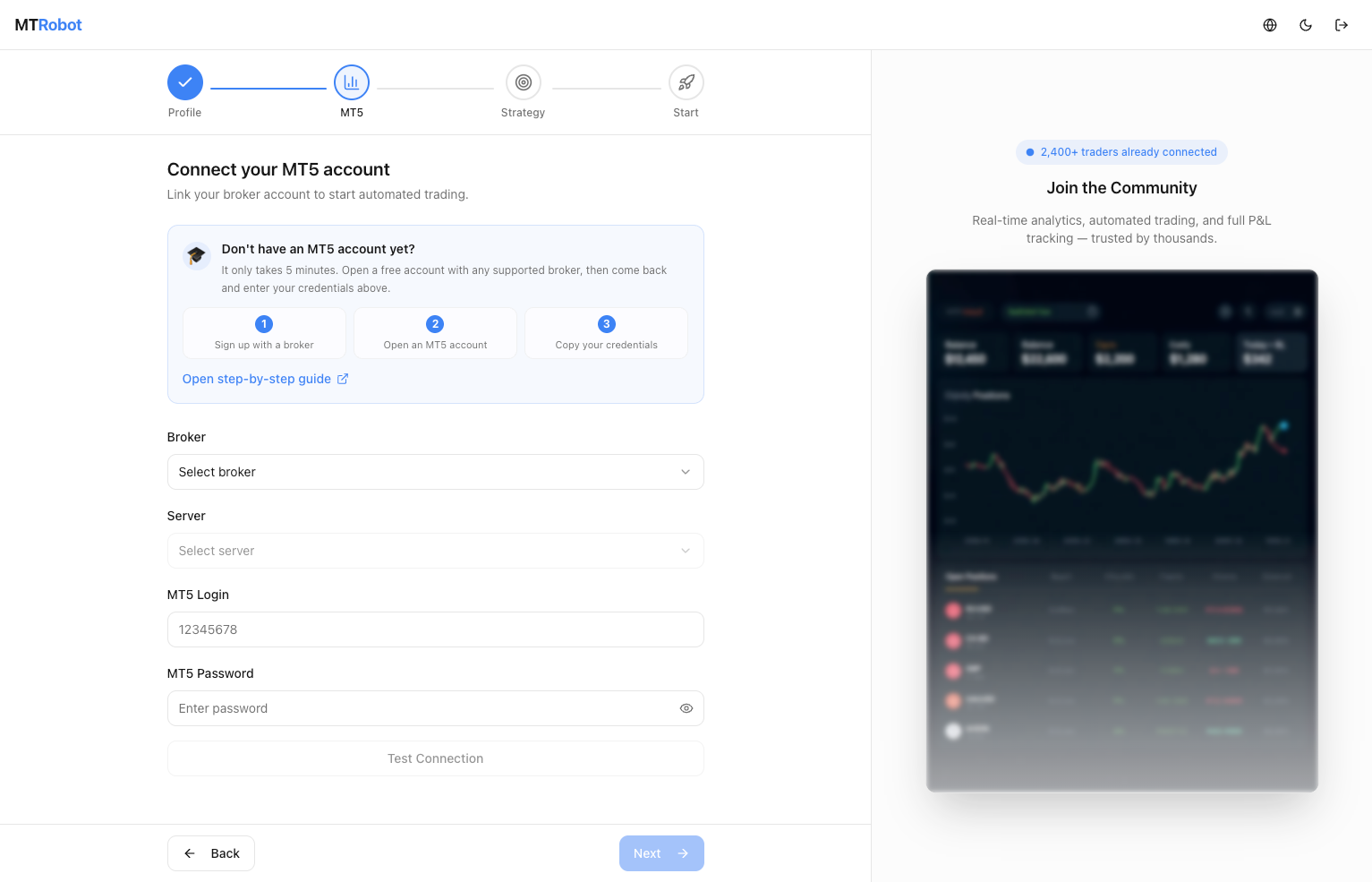
Your credentials are encrypted and stored securely. The platform has trading access only — it cannot withdraw funds or transfer money out of your account.
Step 2 — Build your portfolio
Once your account is connected, you go to the Portfolio Builder. Here you select which trading robots to run, which currency pairs each robot should trade, and how to split your capital between them.
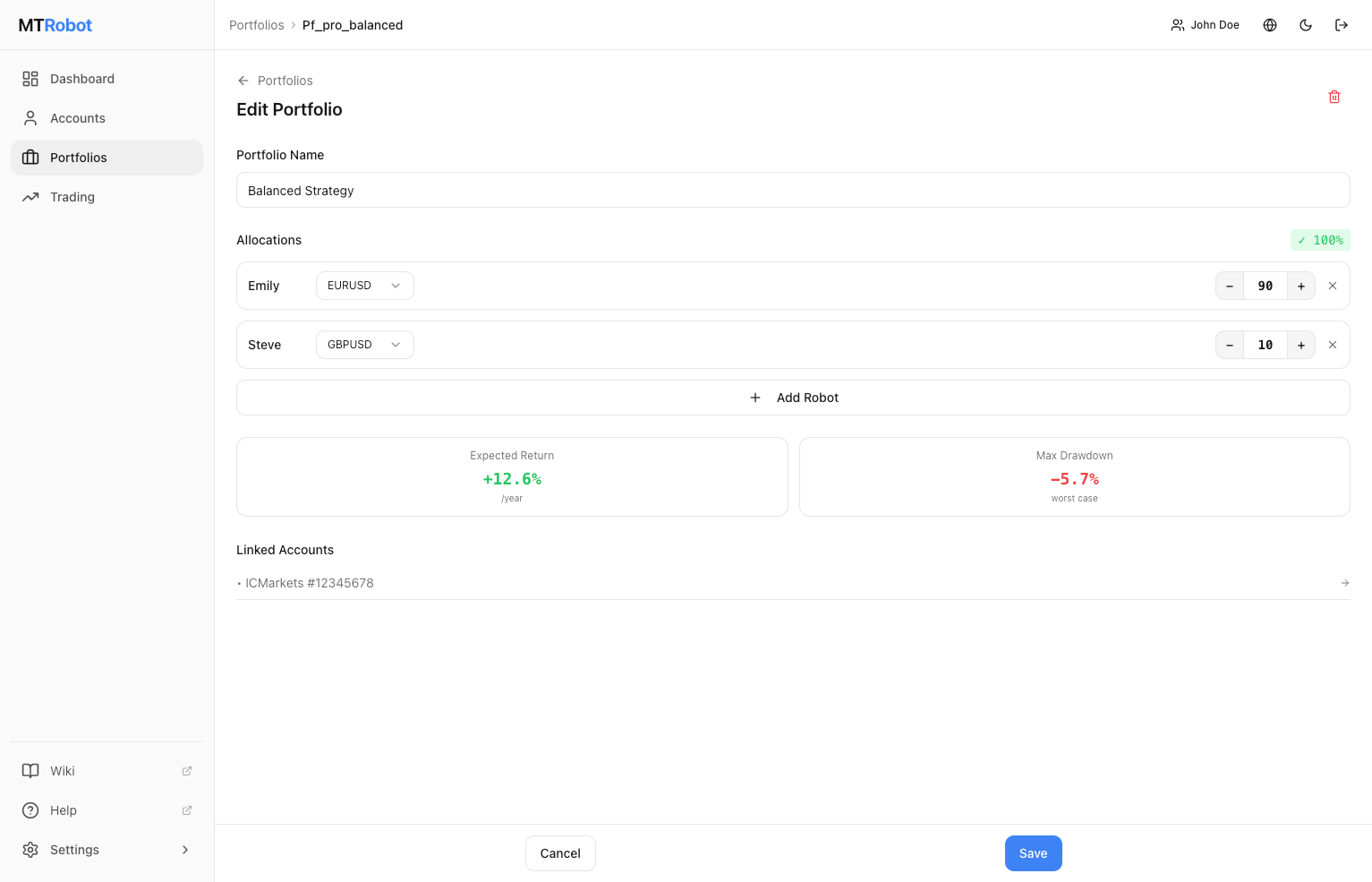
You can run a single conservative robot with 100% of your capital, or distribute across multiple robots with different risk profiles. The platform shows you the projected return range and maximum drawdown for the portfolio you’ve configured before you activate anything.
Three robots are available, each with a different risk-return profile — from conservative (targeting 15–20% annually with a 5% max drawdown) to balanced to aggressive institutional-grade. You choose based on your appetite.
Step 3 — Activate and monitor
You confirm the portfolio and the platform takes it from there. The robots begin analyzing the market, generating signals, and executing trades in real time.
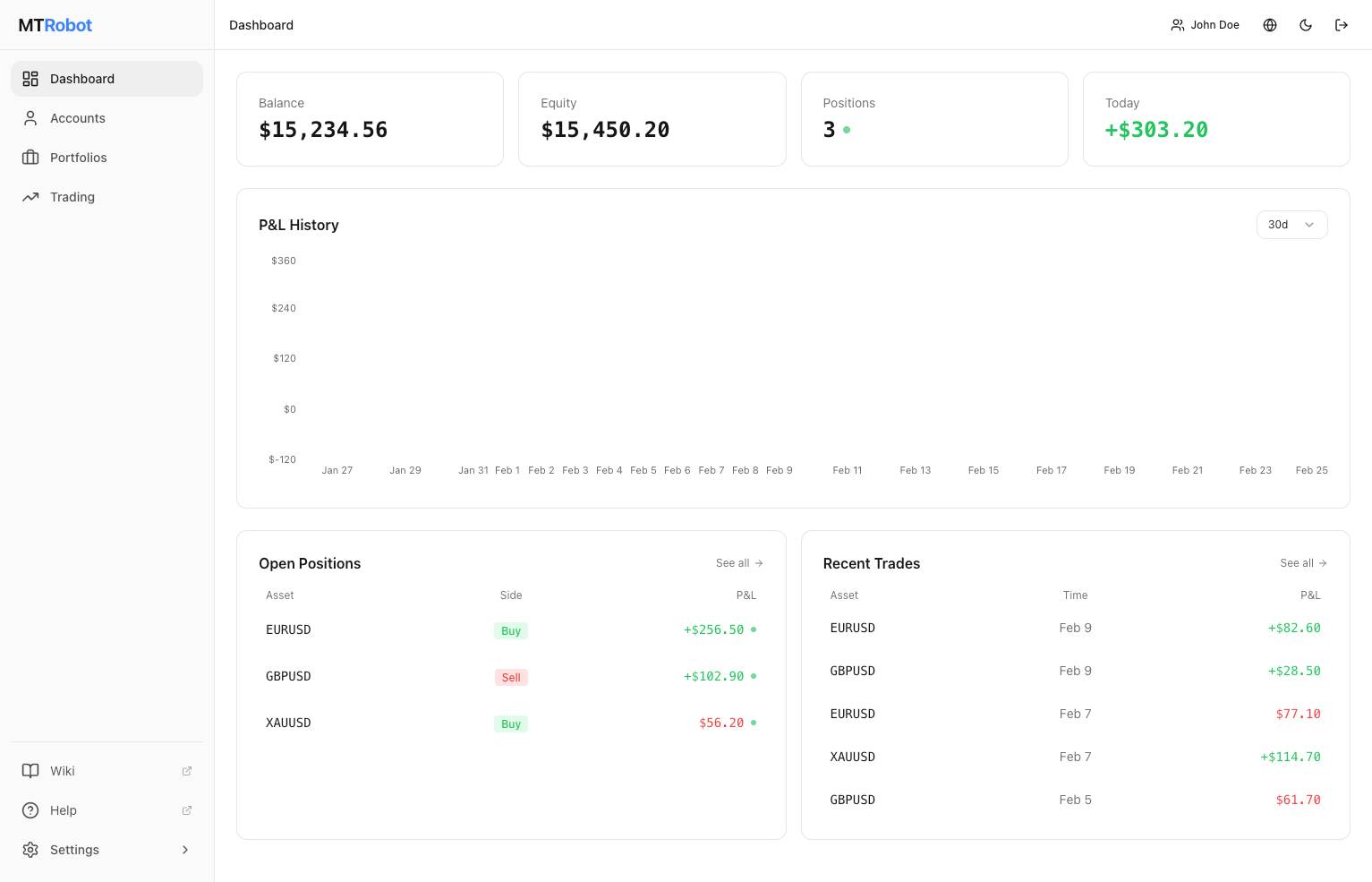
The dashboard gives you a live view of everything: current balance, equity, open positions, today’s P&L, and the overall performance curve since you started. There is nothing you need to do — no monitoring shifts, no decisions to make. The platform manages entries, exits, stop-losses, and risk limits automatically.
What you see while it runs
Accounts overview
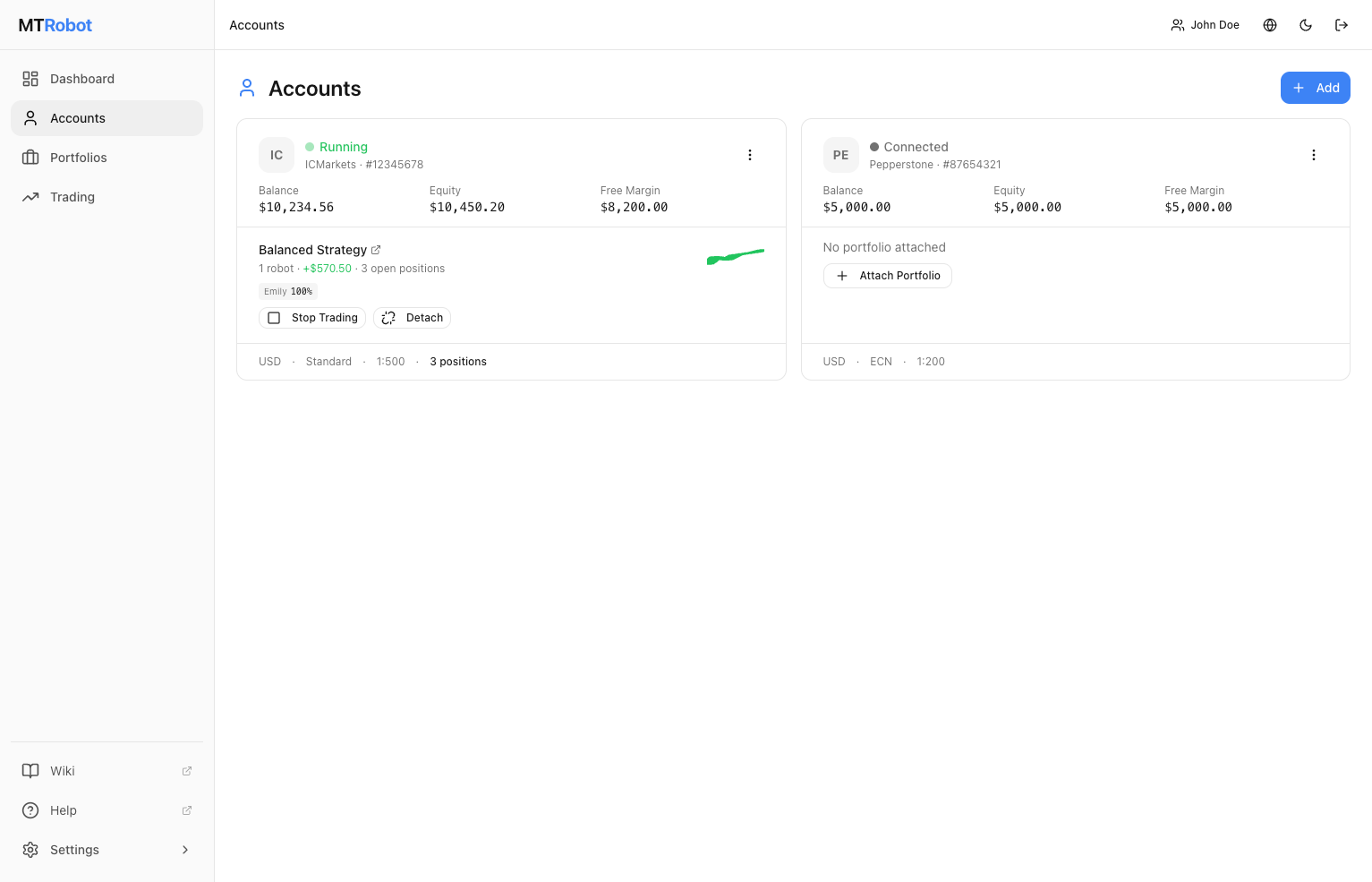
If you have multiple brokerage accounts connected (the platform supports up to three, at different brokers), you see them all in one place. Each account card shows the current balance, equity, active portfolio, number of open positions, and connection status.
Account detail
Drilling into any account gives you the full picture: balance history as a chart, all currently open positions with entry price and live P&L, and the complete closed-trade history with attribution per robot.
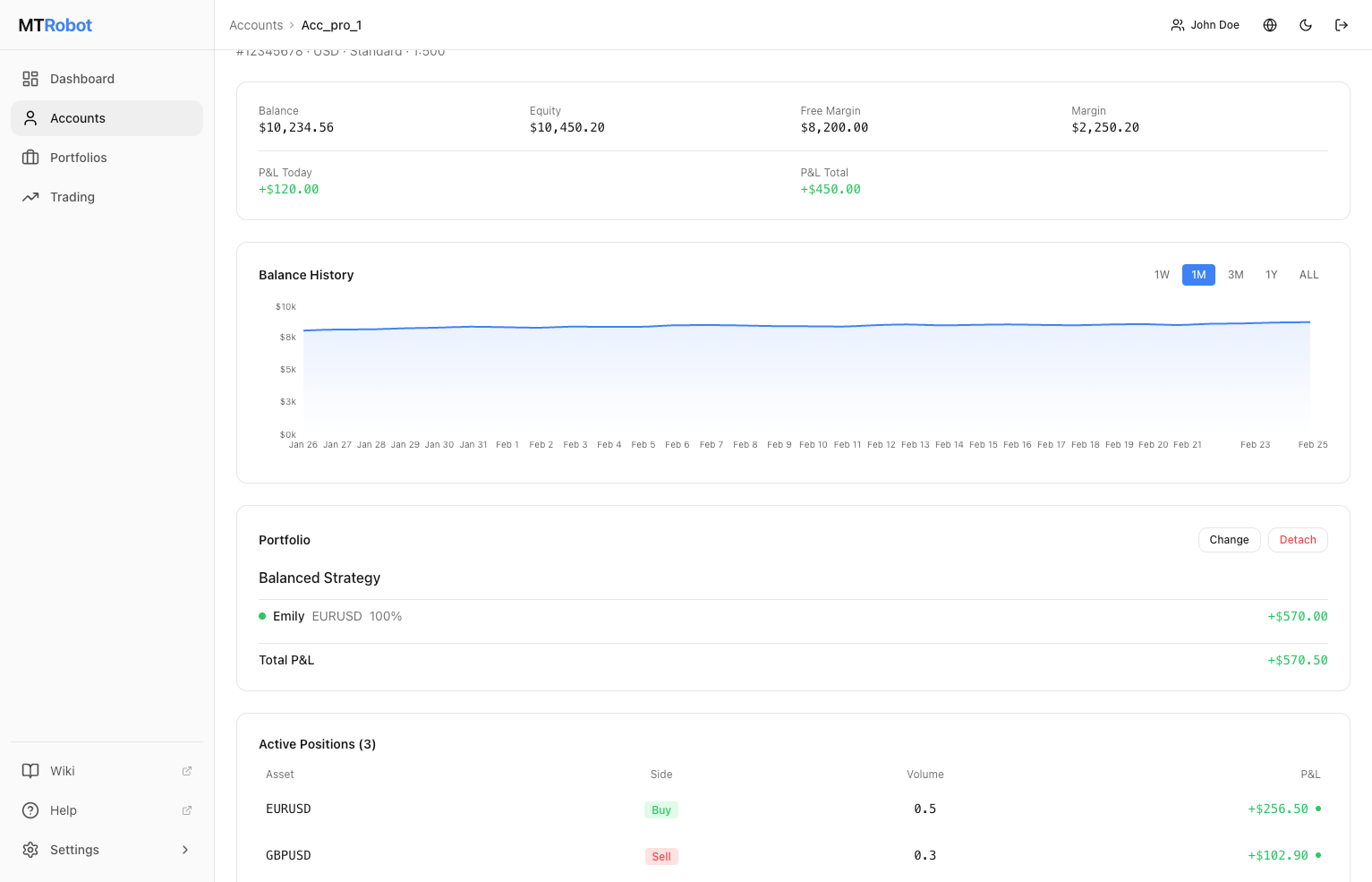
This level of transparency is deliberate. You always know exactly what is happening, which robot placed which trade, and what the current exposure is.
Platform capabilities
Multi-broker, multi-account. Connect accounts at different brokers simultaneously. Diversify execution across brokers without switching between platforms.
Portfolio Builder. Combine multiple robots into a single weighted portfolio. Each robot gets an allocation, and the platform manages them together. Adjust weights or swap robots at any time.
Automatic risk management. Daily loss limits and per-position stop-losses are enforced at the platform level, not just in the robot logic. If the market moves sharply, the platform protects your capital before the situation escalates.
Telegram notifications. The platform sends trade events, daily P&L summaries, and alerts directly to Telegram. You stay informed without having to check the dashboard constantly.
Real-time data. Balance, equity, and position data update continuously. No refreshing, no lag.
Who it is for
A trader who wants algorithmic execution but doesn’t want to build their own system. Someone who has a brokerage account and some capital, understands that trading carries risk, and wants to run proven strategies automatically rather than manually monitoring charts.
It is also well suited to traders who already use PAMM or copy-trading services but want more control — their own account, their own broker, transparent algorithm logic, and a full audit trail of every trade.